HOA Management Software Reviews
We started with a list of 30 HOA management systems and tested them against various features important to a community association. These features are divided into five major categories: Leasing & Tenant Management, Property & Maintenance Management, Accounting & Financial Management, Resident & Tenant Portal, and Communication & Document Management.

DoorLoop – Best All-Around HOA Management Platform
DoorLoop is a cutting-edge property management solution that offers robust HOA capabilities, user-friendly workflows, and powerful automation. The system offers a wide range of functionality, from financial and resident portal capabilities to maintenance and communication, making it a great one-stop shop for community managers who need an easy-to-use, flexible solution that scales with their growing association.
- Unified dashboard for operations and finances
- Strong automation and resident portal features
- Flexible integrations with payment and maintenance tools
- No traditional free trial (demo only)
- Advanced features may require onboarding support
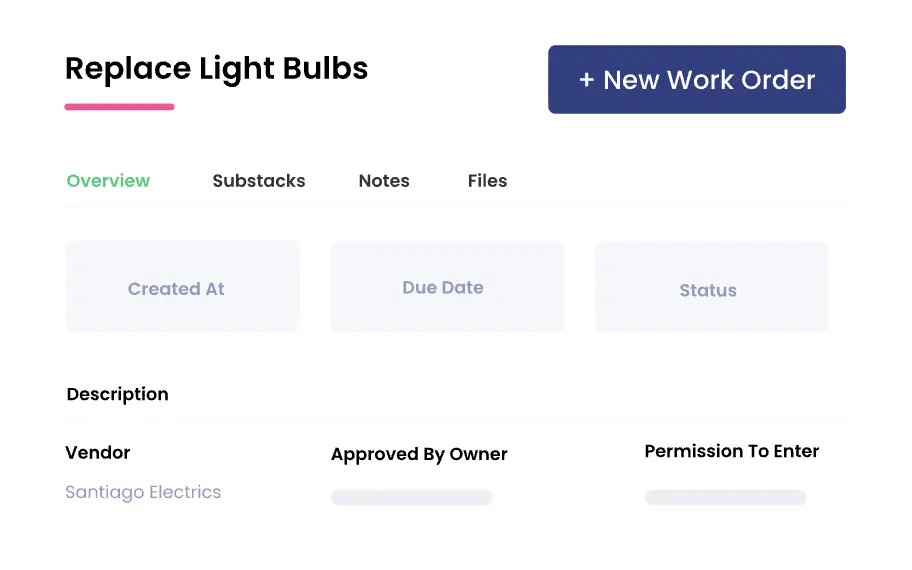
DoorLoop maintenance request form. Source: Doorloop.com
Book a Demo Today Visit DoorLoop’s website
DoorLoop features
- Leasing & Tenant Management: Handles leasing workflows, applications, and tracking with a comprehensive system for managing residents.
- Property & Maintenance Management: Manages maintenance requests, work orders, and vendors with automated reminders.
- Accounting & Financial Management: Integrated accounting and budgeting for HOA management, with online payments for dues and assessments.
- Resident & Tenant Portals: Allow residents to access account information, submit requests, and make payments in a secure, cloud-based online environment.
- Communication & Document Management: Messaging and document management for sharing community information, policies, and forms.
How DoorLoop pricing works
DoorLoop doesn’t provide a free trial; instead, it requires scheduling a demo. Pricing is based on the number of units that you own. Pricing examples for owning 5 units:
- Starter: Starting at $99/month
- Pro: Starting at $189/month
- Premium: Starting at $239/month
What markets does DoorLoop serve?
DoorLoop is best for HOA boards and community managers seeking a modern, comprehensive platform that combines operations, finance, and resident engagement.
Read our full DoorLoop review

Baselane – Best for Financial & Accounting Tools
What sets Baselane apart is its finance-first approach, offering robust banking, bookkeeping, and financial reporting features that enable associations to closely monitor their budgets, cash flow, and member payments. Although not a full-fledged HOA management solution, it offers strong financial features that benefit associations. Baselane also provides deeper financial insights, including portfolio-level balance tracking, depreciation management for association-owned assets, and tools to simplify tax reporting and document organization.
- Free core plan available
- Automated bookkeeping and reporting
- Easy online payments
- Portfolio-level balance and financial tracking
- Depreciation management for long-term assets
- Simplified tax reporting and document organization
- Limited HOA-specific operations features
- Communication tools are minimal
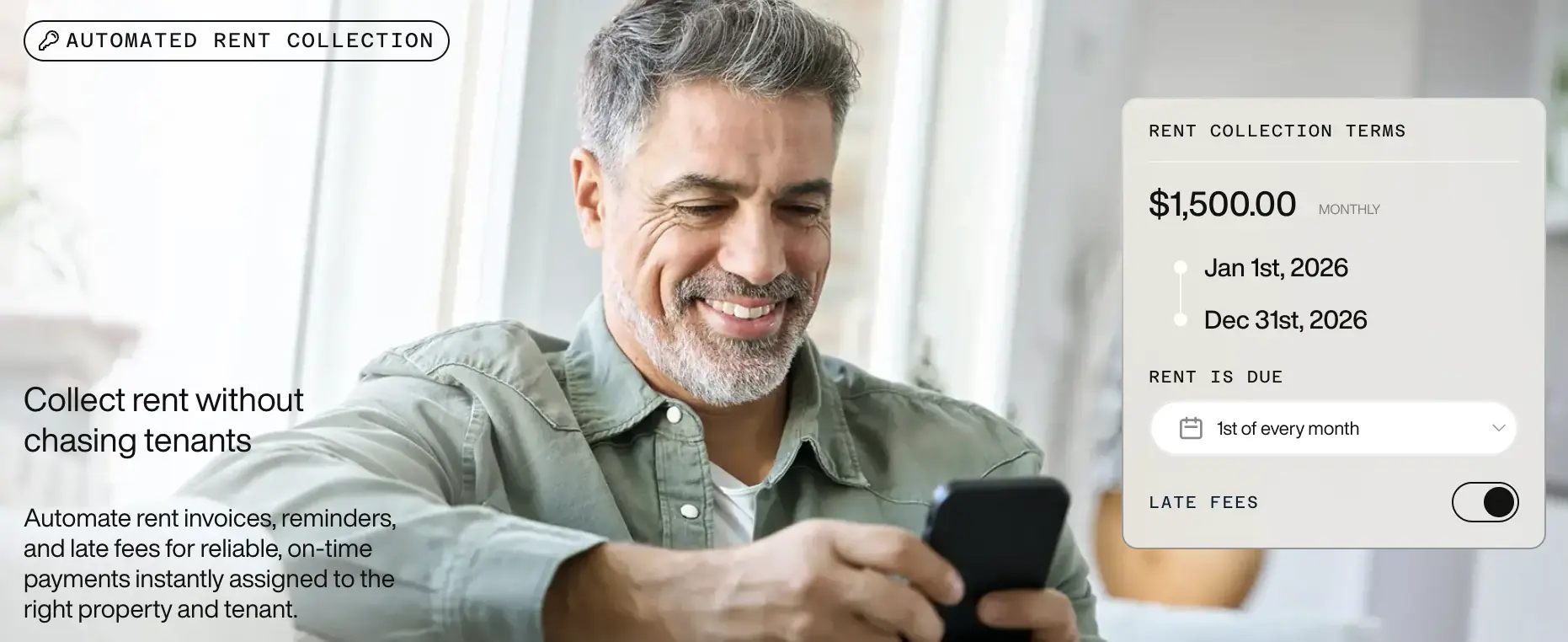
Baselane automated rent collection. Source: Baselane.com
Get Started For Free Visit Baselane’s website
Baselane features
- Leasing & Tenant Management: Basic resident payment status and dues tracking, but not as comprehensive as platform-native HOA modules.
- Property & Maintenance Management: Maintenance scheduling is not the main focus; it works best when combined with other tools.
- Accounting & Financial Management: Strong budgeting and financial tracking with clear reports and automated classification, plus real-time balance insights, depreciation tracking, and tax-reporting support.
- Resident & Tenant Portals: Online payments and account viewing are available to residents and tenants.
- Communication & Document Management: Resident accounts provide access to financial records and document storage.
How Baselane pricing works
Baselane offers a 30-day free trial along with 2 pricing plans to choose from:
- Core: Starting at $0/month
- Smart: Starting at $20/month
What markets does Baselane serve?
Ideal for HOA boards and small associations focused on financial oversight and reporting who don’t require extensive resident services or operations tools. It’s especially useful for associations that want to streamline financial oversight and tax reporting without adding extra software.
Read our full Baselane review

Buildium – Best for Established Associations & Scalability
Buildium is a popular association management platform that offers robust resident management, maintenance tracking, and financial reporting tools to support large and expanding communities. It is a preferred option for boards with intricate operations and property management companies due to its extensive feature set.
- Comprehensive feature set for communities of all sizes
- Excellent accounting and compliance tools
- Strong resident portal and communication features
- Pricier than entry-level options
- Setup and training can take time for new users
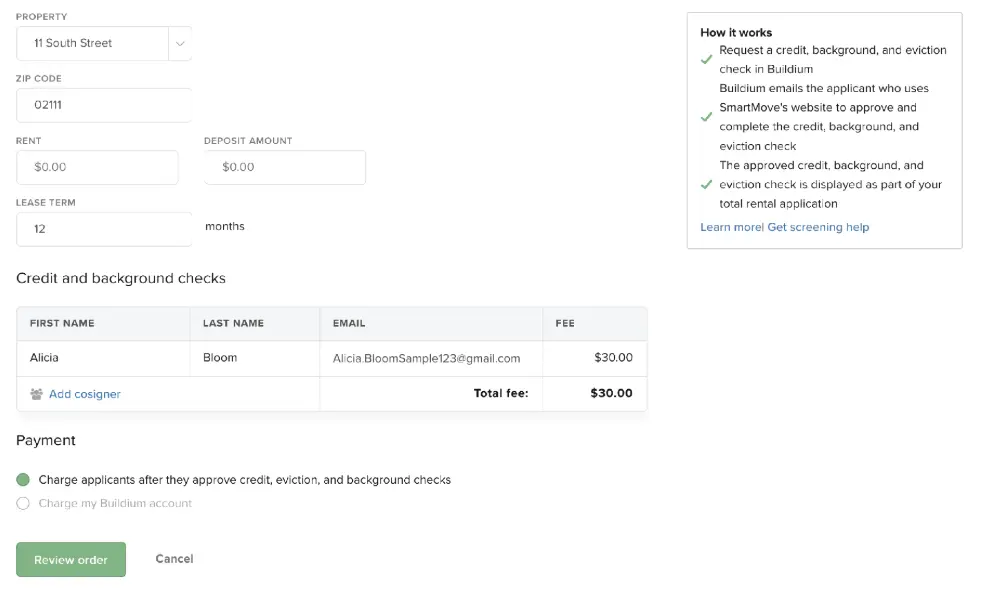
Buildium tenant background check. Source: Buildium.com
Start Free Trial Visit Buildium’s website
Buildium features
- Leasing & Tenant Management: Manages occupancy supervision, lease tracking, and resident applications.
- Property & Maintenance Management: Sophisticated vendor management, inspection scheduling, and maintenance ticketing.
- Accounting & Financial Management: Complete GAAP-compliant HOA accounting, including bank reconciliation, payables, receivables, and reporting.
- Resident & Tenant Portals: Safe member portal for community updates, documents, and dues payments.
- Communication & Document Management: Automated alerts, document libraries, and mass texting and email.
How Buildium pricing works
Buildium offers a 14-day free trial along with 3 plans to choose from:
- Essential: Starting at $62/month
- Growth: Starting at $192/month
- Premium: Starting at $400/month
What markets does Buildium serve?
Buildium serves mid‑size to large associations and property management companies seeking full operational and financial management.
Read our full Buildium review

PayHOA – Best for Easy Payments & Resident Engagement
Simplifying payments and member interactions is PayHOA’s main goal. It is a good option for associations seeking to improve engagement and expedite financial transactions, thanks to its core strengths in fee collection, online payments, and resident services.
- Strong payment and resident experience features
- Easy setup and onboarding
- Transparent pricing
- Fewer advanced accounting capabilities
- Less comprehensive maintenance management
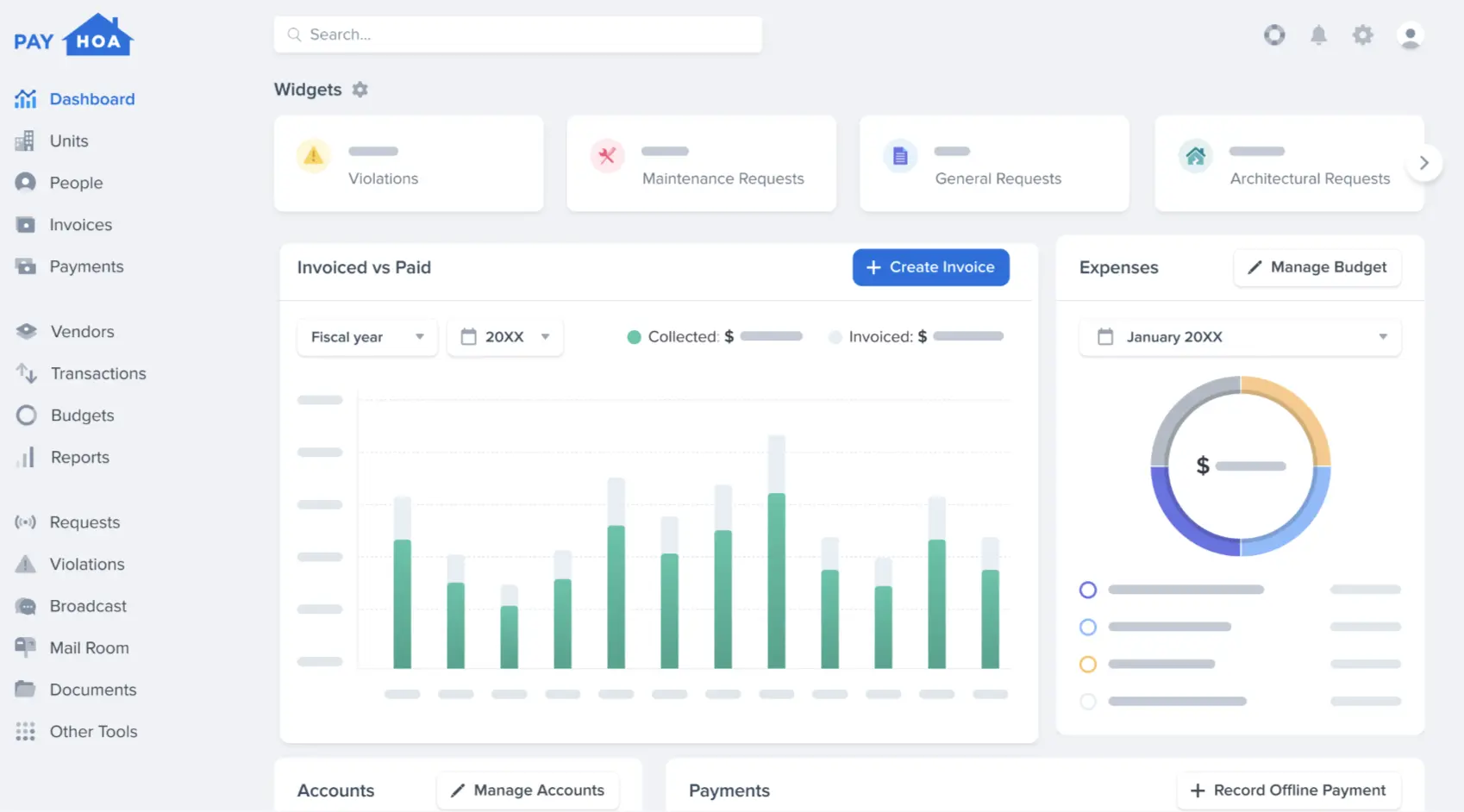
PayHOA dashboard. Source: Payhoa.com
PayHOA features
- Leasing & Tenant Management: Tools for resident onboarding and account setup with tracking of rent and dues.
- Property & Maintenance Management: Submission and monitoring of basic maintenance requests.
- Accounting & Financial Management: Member billing, financial summaries, and online payment processing.
- Resident & Tenant Portals: Member portal that provides access to services, account information, and payment history.
- Communication & Document Management: Announcements, messages, and sharing of documents within the community.
How PayHOA pricing works
PayHOA offers a 30-day free trial. Along with their trial, they have 2 pricing plans that you can customize based on the number of units you manage:
- Self Managed (0–25 units): Starting at $54/month
- Self Managed (26–50 units): Starting at $65/month
- Management Company: Starting at $0.55/unit/month
What markets does PayHOA serve?
PayHOA is best for small- to mid‑size associations that need robust online payment and resident engagement tools without added complexity.

Condo Control – Best for Communication & Community Tools
Condo Control is a platform that enhances community participation and makes it easier for associations to communicate with their members. The system provides strong messaging capabilities, amenity reservation functions, document storage options, and resident support services, making it suitable for organizations seeking to improve member engagement and operational visibility.
- Excellent communication features
- Amenity booking and service portals
- Strong document management
- More limited accounting depth
- Maintenance tracking is not as advanced
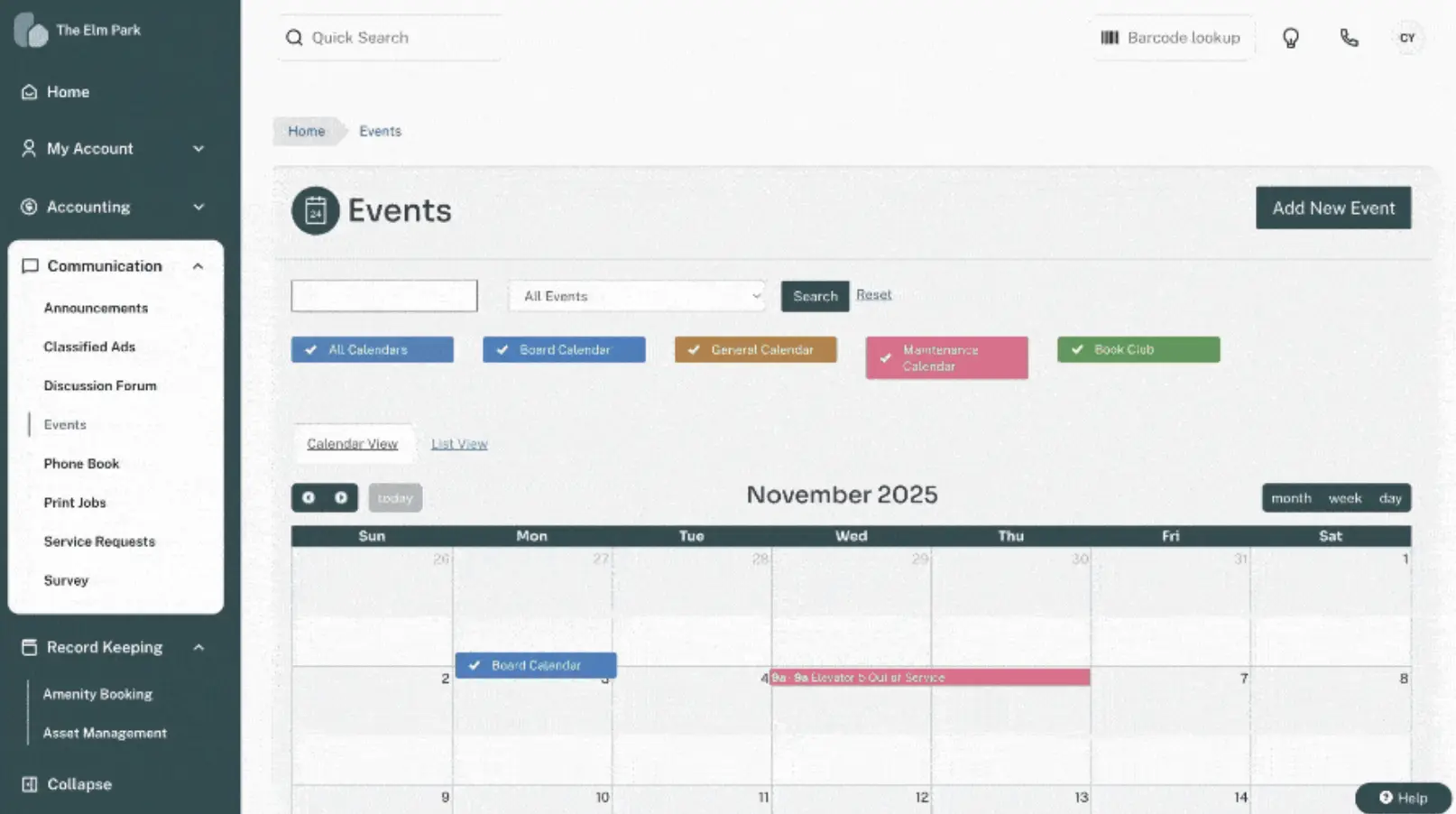
Condo Control event calendar. Source: Condocontrol.com
Condo Control features
- Leasing & Tenant Management: Automatically tracks resident statuses and integrates essential occupancy information.
- Property & Maintenance Management: Provides a portal for residents to submit maintenance requests and a dashboard to track them.
- Accounting & Financial Management: Supports basic dues reporting and payment tool integration, but lacks comprehensive accounting capabilities.
- Resident & Tenant Portals: Offers multiple functions, including messaging services, amenity reservation options, and access to community event schedules.
- Communication & Document Management: Provides mass email and text messaging capabilities, together with document libraries and board communication tools.
How Condo Control pricing works
Although Condo Control doesn’t offer a free trial, they have transparent pricing with 2 plans to choose from:
- Self-Managed (under 50 units): $67.50/month
- Management Company: Custom quote
What markets does Condo Control serve?
Condo Control is best for condo management and associations that prioritize communication, transparency, and member engagement.

EasyHOA – Best for Small to Mid-Size Associations
EasyHOA provides a user-friendly and budget-friendly solution that enables small associations to access essential management functions. The system provides online payment processing and maintenance request handling, along with resident account management and basic communication tools, at an affordable price.
- Affordable pricing
- Simple, easy setup
- Good for small communities
- Fewer advanced accounting tools
- Not as scalable for large associations
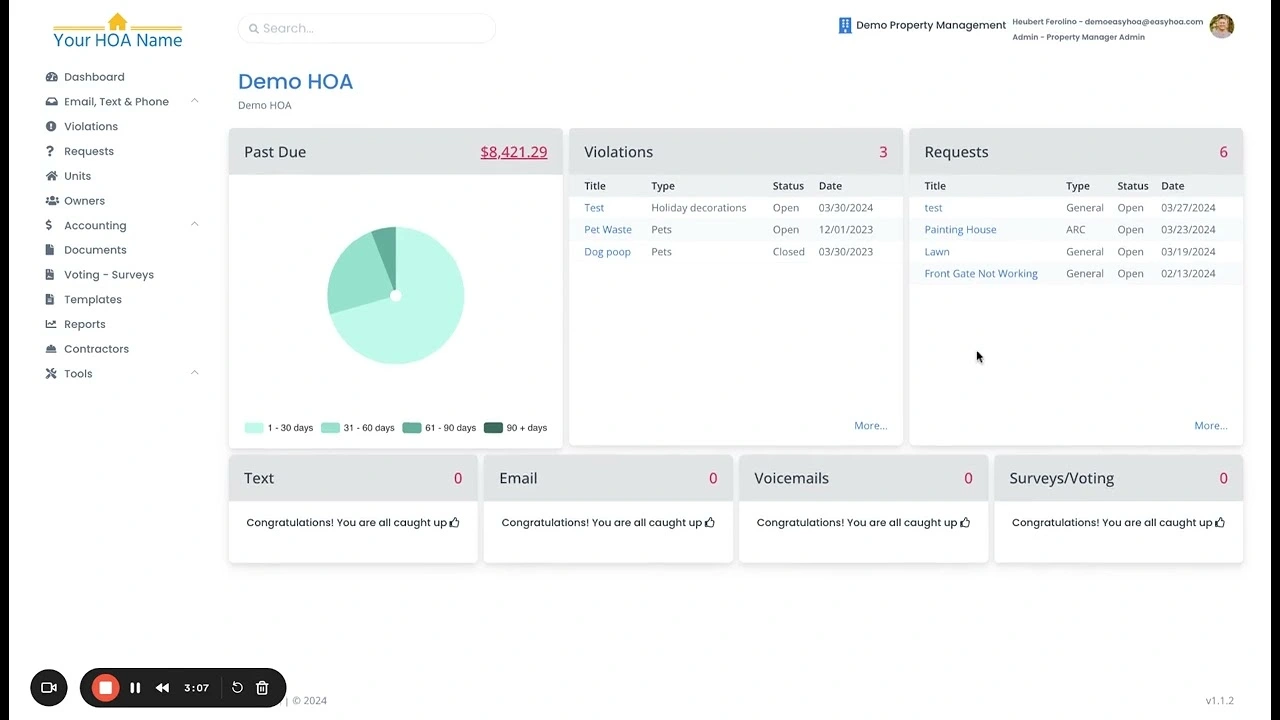
EasyHOA dashboard. Source: Easyhoa.com
EasyHOA features
- Leasing & Tenant Management: Monitors resident records and payment status.
- Property & Maintenance Management: Residents can submit maintenance requests, with basic tracking features.
- Accounting & Financial Management: Enables billing together with online payment processing for dues and fees.
- Resident & Tenant Portals: Members can access the portal to make payments, submit maintenance requests, and view their statements.
- Communication & Document Management: Provides community notices, document storage services, and a messaging system for residents.
How EasyHOA pricing works
EasyHOA offers 5 plans with a tutorial available and pricing that scales by the number of units under management.
- 1–25 Units: Starting at $49/month
- 26–50 Units: Starting at $69/month
- 51–100 Units: Starting at $89/month
- 101–150 Units: Starting at $99/month
- Over 150 Units: Custom price
What markets does EasyHOA serve?
EasyHOA is best suited for smaller associations and boards looking for core management tools at a lower price point.

Yardi Breeze – Best for End-to-End Property Operations
Yardi Breeze serves as a property management software solution that provides excellent operational support to both associations and residential rental communities. The system provides mid-sized communities and their management companies with a complete solution that integrates maintenance operations, resident access, financial management, and communication systems into a single platform.
- Strong accounting and maintenance features
- Resident portals with online payments
- Live support and training options
- No self-serve free trial
- Set-up may require guided onboarding
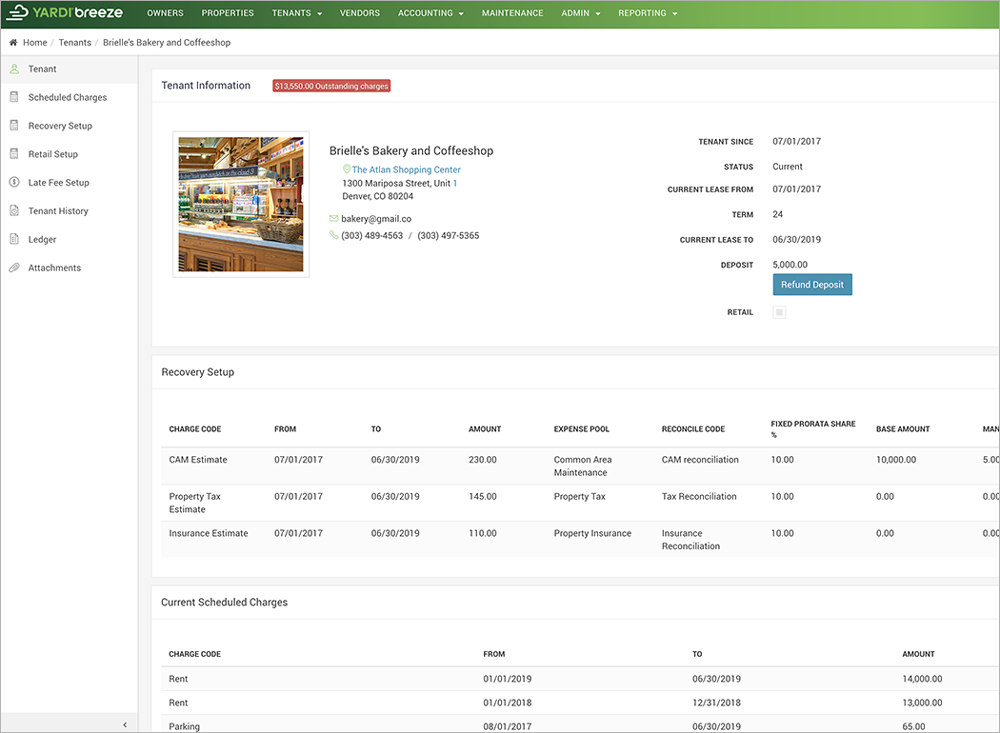
Yardi Breeze tenant information. Source: Yardibreeze.com
Yardi Breeze features
- Leasing & Tenant Management: Handles everything for residents and tenants, from move-ins and applications to tracking who’s living where.
- Property & Maintenance Management: Tracks every maintenance request, handles service orders, and lines up vendors when something needs fixing.
- Accounting & Financial Management: Takes care of all HOA accounting, including payables, receivables, balancing the books, and detailed financial reports.
- Resident & Tenant Portals: Let tenants and residents pay rent, request repairs, and review their account history through a simple online portal.
- Communication & Document Management: Includes built-in messaging, a handy FAQ section, document storage, and easy access to a knowledge base.
How Yardi Breeze pricing works
Yardi Breeze doesn’t offer a standard free trial but provides demos. Pricing is based on an agreed amount.
- Breeze Premier: $1/unit/month & $400 minimum/month
What markets does Yardi Breeze serve?
Yardi Breeze serves mid‑to‑large associations and professional property managers seeking comprehensive financial and operations tools.
Compare the Best HOA Management Software Side-by-Side
| Software name | Why we picked it | Starting price for cheapest plan | Highlights |
|---|---|---|---|
| DoorLoop | Best All-Around HOA Management Platform | $99/month | Unified ops, accounting, and resident portal |
| Baselane | Best for Financial & Accounting Tools | $0/month | Strong bookkeeping and reporting |
| Buildium | Best for Established Associations & Scalability | $62/month | Full accounting, maintenance, and portals |
| PayHOA | Best for Easy Payments & Resident Engagement | $54/month (0–25 units) | Easy payments and resident services |
| Condo Control | Best for Communication & Community Tools | $67.50/month (under 50 units) | Messaging, amenity booking, and docs |
| EasyHOA | Best for Small to Mid-Size Associations | $49/month (1–25 units) | Affordable and essential tools |
| Yardi Breeze | Best for End-to-End Property Operations | $1/unit/month & $400 minimum/month | Accounting, maintenance, and portals |
What Is HOA Management Software?
HOA management software brings everything you need to run a community under one roof. Boards, property managers, and association admins use it to streamline daily tasks without bouncing between spreadsheets or scattered tools. You track finances, handle maintenance and architectural requests, connect with residents, and store documents; it’s all in one spot. That means less manual work and way more clarity for everyone involved.
Instead of juggling multiple systems, you get a single platform to collect dues, answer resident questions quickly, and keep records accurate for compliance and reporting. It just makes the whole process smoother.
Whether you’re looking after a small neighborhood or a big, multi-site association, HOA software cuts through the hassle and gives residents a better experience.
Can You Self-Manage an HOA?
You can definitely run an HOA yourself, especially if your community isn’t that big. In a smaller group, the board just takes care of things like collecting dues, managing finances, organizing repairs, enforcing rules, and keeping everyone in the loop. You save on management fees, sure, but you do have to put in the time and stay organized. Plus, you need to know your way around the legal and financial side of things.
But as the community gets bigger, things get messy fast. Suddenly, there’s way more paperwork, more rules to enforce, more maintenance to juggle. That’s why many larger HOAs bring in professional management companies or invest in HOA software. It helps keep everything running smoothly, reduces mistakes, and makes it easier to communicate with everyone.
Self-managed HOAs work when the board is committed, knows what they’re doing, and has the right tools. Software, in particular, really helps keep things organized and reduces the likelihood of problems escalating into full-blown disputes or legal headaches.
How Do HOA Boards Choose the Best HOA Software?
When HOA boards shop for new software, they start by figuring out exactly what their community needs. Some boards need help with finances. Others care more about tracking maintenance, sharing documents, or keeping in touch with residents. There’s always a checklist: easy-to-use dashboards, good communication tools, smooth integration with existing systems, and the ability to handle a growing community.
Price matters, too. Boards want solid customer support and training, so people don’t get stuck or frustrated. Most boards don’t just pick something and hope for the best; they test out demos, try free trials, or talk to other associations to see what actually works in practice.
In the end, the best HOA software makes everyone’s life easier. It cuts down on paperwork, helps the board stay organized, and keeps residents in the loop. That’s what really matters.
How Much Does HOA Management Software Cost?
HOA management software prices are all over the place. For smaller communities, you can usually find basic platforms for under $50 a month. These cover the essentials: things like online payments, a resident portal, and basic maintenance tracking. If you need more advanced features, like better accounting software, communication options, or automation, you’re looking at $100 to $300 a month, sometimes more. The big, enterprise-level systems meant for large associations or management companies can easily run several hundred to over a thousand dollars per month, especially if pricing is based on the number of units or requires a custom quote.
Keep in mind, the sticker price isn’t the whole story. Some providers tack on setup fees, onboarding costs, or charge transaction fees for online payments. Others roll things like training and support into their premium plans. When you’re comparing options, look beyond just the monthly rate. Think about how the price changes as your community grows or as you add new features. The right platform, one that actually fits your needs and your budget, makes life a lot easier and cuts down on the busywork.
HOA Management Software FAQs
Do HOA boards need access to the same software as their property manager?
No, not always. HOA boards don’t need full access to the same software their property manager uses, but having some access does make everything clearer and easier to track. Many HOA management platforms include dedicated dashboards or settings for board members. You can review financial reports, check maintenance requests, and talk with residents, but you’re not poking around in sensitive vendor or operational information. That way, the board stays in the loop and can make sound decisions, while the manager handles the day-to-day details securely.
What are the most essential community association management software features?
Community association management software really shines when it takes the stress out of running an HOA and makes it easier to connect with residents. The best tools let you track leases and tenants, stay on top of repairs and inspections, and handle accounting without the headaches, budgets, payments, and reserves all in one place. Portals give residents and tenants an easy way to take care of things themselves, while built-in communication tools make it a breeze to share announcements, forms, and policies. HOA management software can also automatically apply late fees, helping communities enforce payment policies and maintain consistent cash flow. Put all that together, and boards and managers can keep their communities running smoothly, and everyone stays in the loop.
How does HOA software help with financial management?
HOA software brings everything related to your community’s finances into one place. Boards and property managers can see dues and assessments coming in, handle bills, build budgets, and keep an eye on reserves, no more jumping between spreadsheets. Most platforms let residents pay online with autopay, automatically send invoices, and pull up detailed reports whenever needed. It’s a lot easier to stay transparent, cut down on mistakes, and make everyone’s accounting work a whole lot simpler.
How can HOA management software improve communication within a community?
HOA management software makes it a lot easier for everyone in the community to stay in the loop. With one central spot for announcements, real-time updates, and reminders, nobody’s left guessing. You get email and text notifications, a portal just for residents, and even a place to share documents, all in one place. So, when there’s a meeting coming up, maintenance work, or new rules, everyone finds out right away. That means less confusion, more people actually know what’s going on, and it’s just a lot more open and connected for everyone living there.
How We Chose the Best HOA Management Software
We compiled a list of 30 HOA and community management software and narrowed it down to our top picks based on functionality, usability, and overall value.
Information was gathered and verified from:
- Official vendor documentation and feature pages
- Customer reviews and software comparison sites
- Expert analysis from property management publications
- Demo walkthroughs and support materials
We scored companies on a scale of 1 (poor) to 5 (excellent) across the following criteria, each worth 25% of our total score:
- Variety of features: We evaluated vendors based on essential HOA management capabilities, including resident and board portals, maintenance and architectural request tracking, accounting and financial management, online payment and autopay options, and communication tools such as announcements and document sharing. Companies that offer all of these features provide a more efficient, all-in-one solution for HOA boards and community managers.
- Pricing and transparency: We considered both the cost of each software and how easily pricing information is accessible. Platforms that clearly display their plans, offer free trials, or provide straightforward subscription options scored higher for transparency and user-friendliness.
- Onboarding and support: We looked for vendors that provide multiple support options, including email, live chat, phone, and knowledge bases, as well as personalized onboarding or training. Companies that offer comprehensive onboarding and responsive support earn higher marks.
- Brand reputation: We reviewed customer feedback and ratings from reliable third-party sources to assess overall satisfaction, trustworthiness, and the software’s track record in the HOA management space.